Enabling AI comment moderation
How to enable AI comment moderation on your social media pages.
Written By Khoa Bui
Last updated 9 months ago
You can enable AI comment moderation in just a few clicks.
After connecting your pages, your moderation settings will be located in the ‘Moderation’ tab of the Settings page.
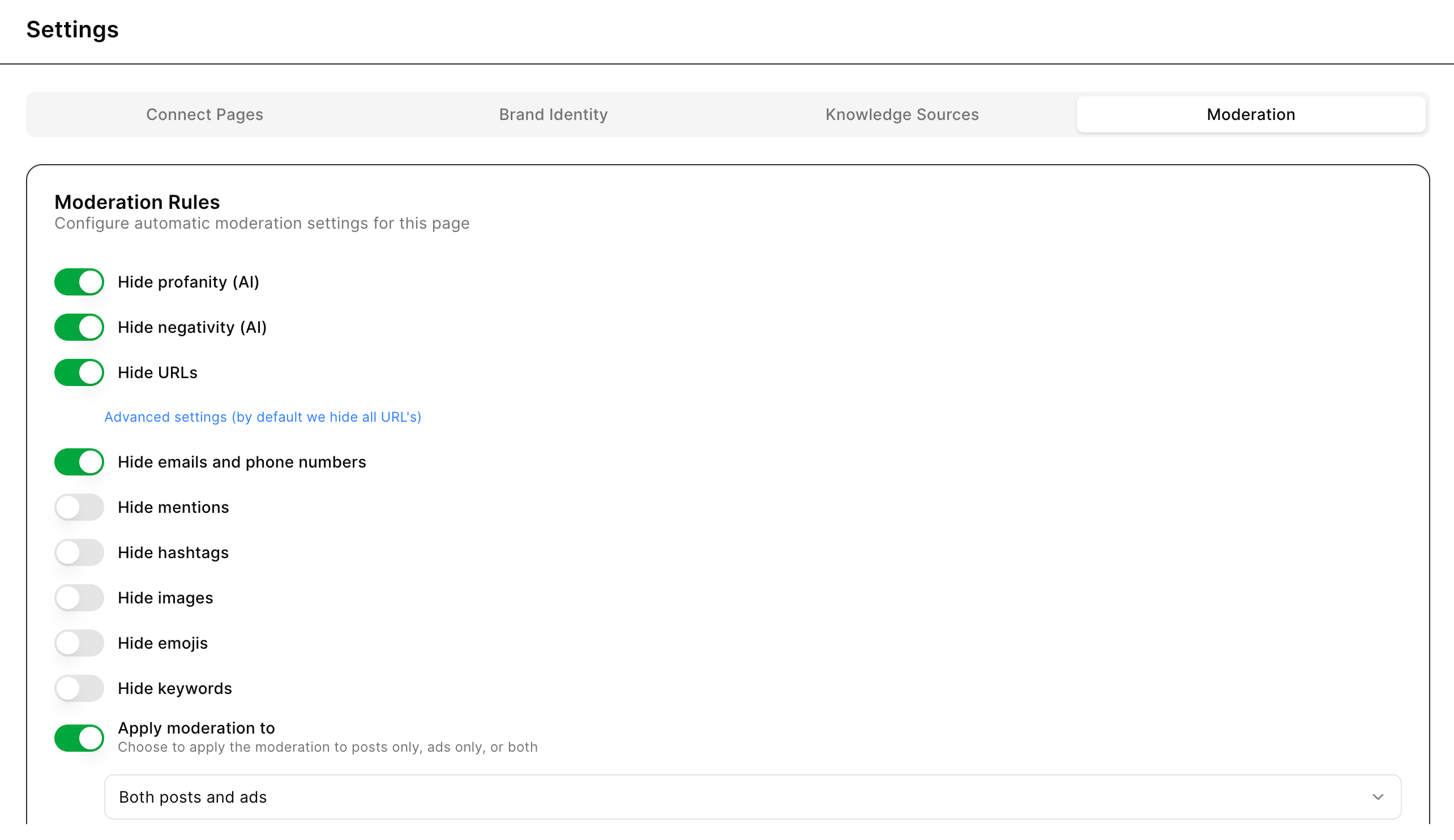
By default, these moderation rules are activated:
Hide profanity
Hide negativity
Hide URLs
Hide emails and phone numbers
Flip the switch for any rules you want to activate or deactivate. You can come back to this page anytime to enable or disable moderation.